Click "Ink & Torch map" in the Scenes tab and you get a new scene: a hand inked map with the walls and doors already set. Torches too. No files, no importer. It works offline too.
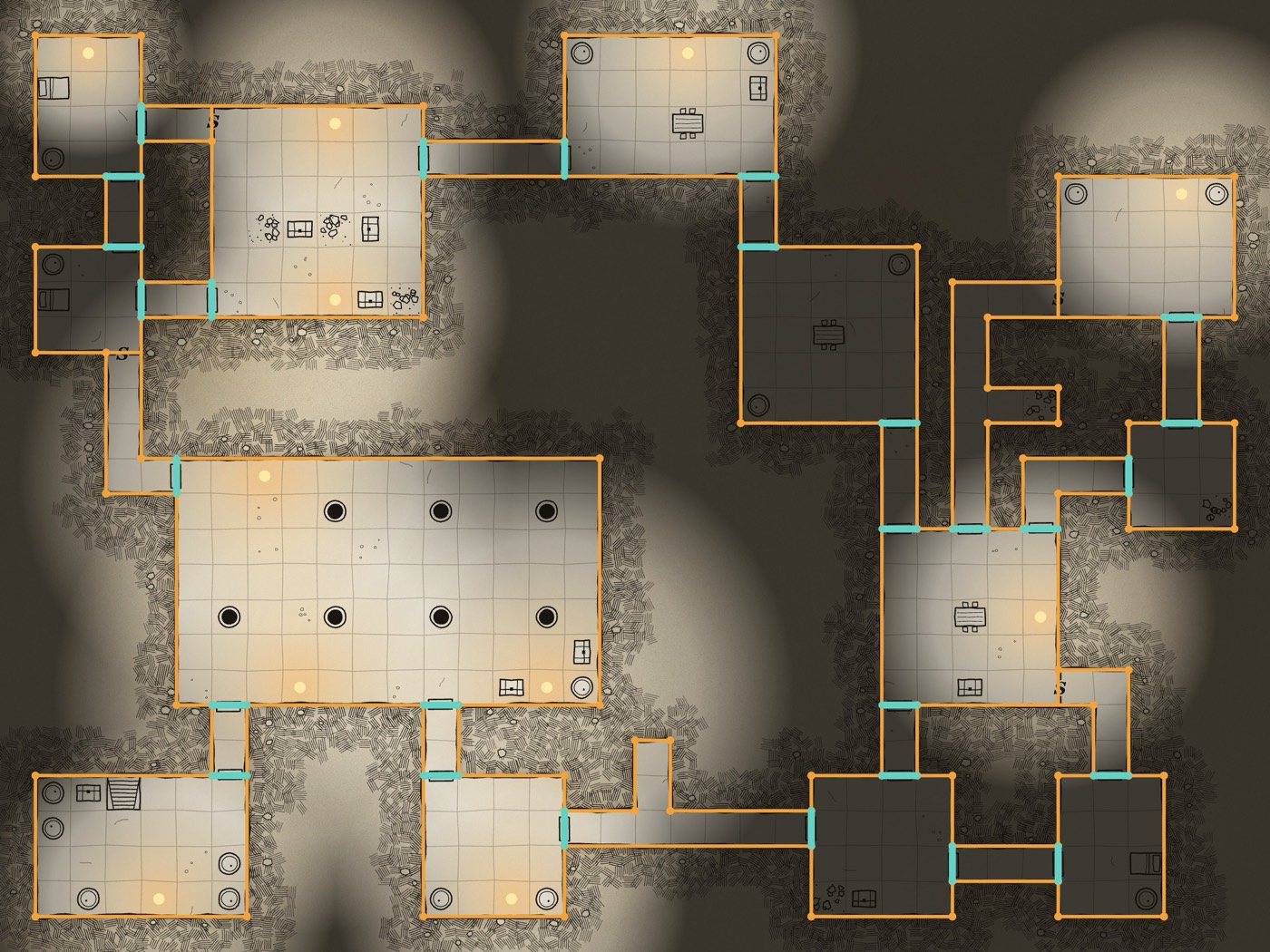
What the module sets for you: walls in orange, doors in teal.
Install it
- In Foundry, go to Add-on Modules and click Install Module.
- Paste this into Manifest URL at the bottom and click Install.
https://maps.rowhousesoftware.com/foundry/ink-and-torch/module.json- Open your world, turn on Ink & Torch Maps under Manage Modules, then look for the button in the Scenes tab.
Made for Foundry 12 and 13. We checked it against Foundry's own code, not in every setup, so if it trips in yours, tell us. You can also download the zip and unpack it into your modules folder.
What's free
Dungeons, caves, taverns and forests are free, in small, medium or large. Got a map you like on the site? Paste its link and you get that exact map.
Secret doors come in as real secret doors. Your players see a wall and you can open it.
With Pro
Paste your Pro code in the module's settings and you can also:
- Make up to 10 maps in one go, each its own scene
- Make sewer maps and ship maps, towers and villages, and extra large ones
- Make a dungeon or tower two or three floors tall, one scene per floor
- Use the blueprint, parchment or night look
- Put room numbers on the map and get the key as a journal, linked to the scene
It's the same Pro as the site, so one code covers both. Try one Pro map free in each world. Then pay once. No account, no monthly fee. Money back within 30 days.
Questions
Something not working in your setup? Email support@rowhousesoftware.com with your Foundry version.
Two free maps with a print PDF.
We'll email when a new pack is out. Privacy